Which Features Keep the 2026 Toyota Tundra’s Cabin Connected on the Road?
August 25 2026,
A truck cab is where you spend the drive, not just the destination. For Quebec truck shoppers weighing daily commutes against weekend hauling, knowing how the 2026 Tundra keeps you connected without pulling your eyes off the road matters as much as payload numbers.
This piece breaks down the phone integration, voice controls, and display tech built into the cabin, and which use cases each tool actually serves.
What The Toyota Multimedia System Actually Is
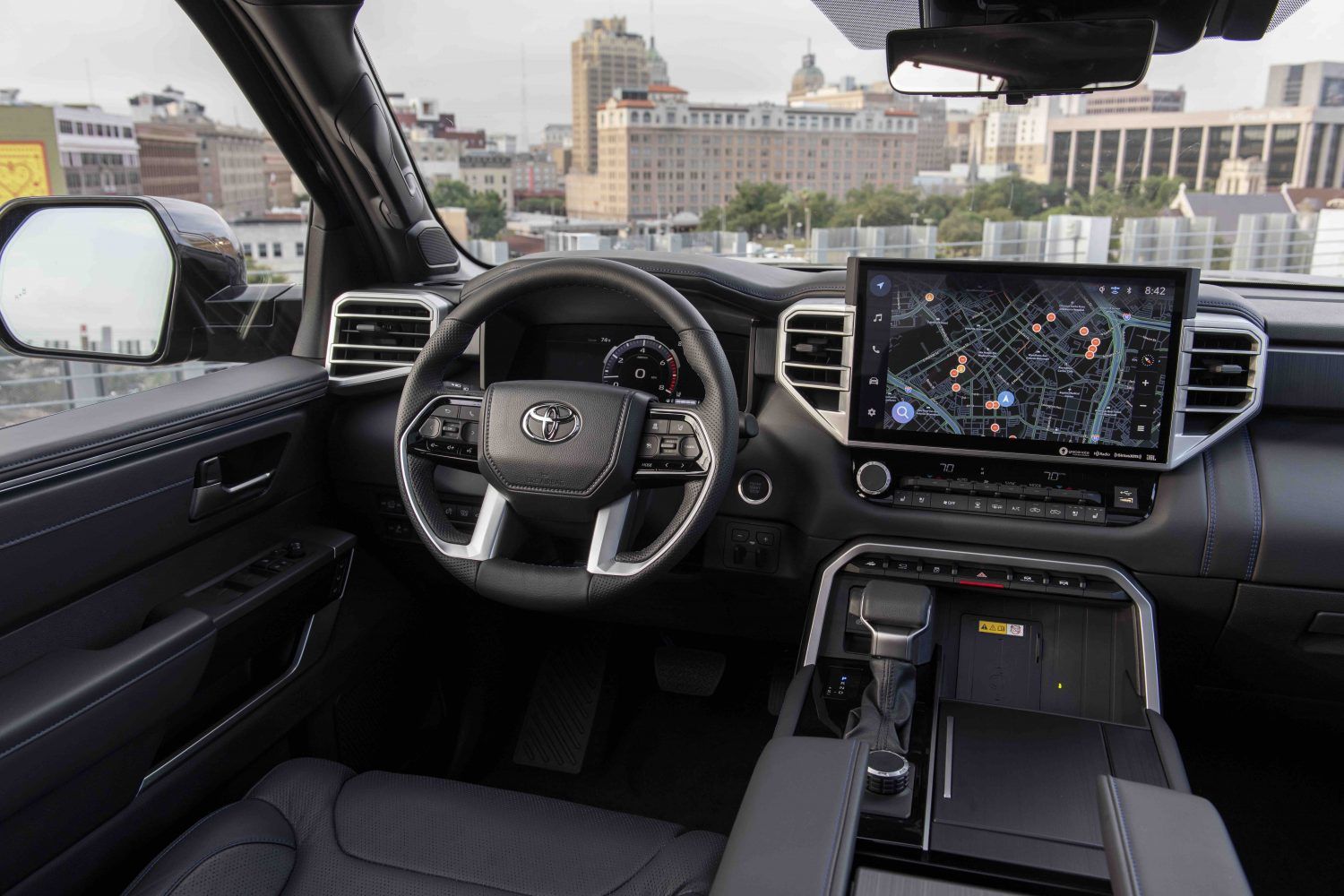
Every 2026 Tundra comes factory-fitted with the Toyota Multimedia system, the central hub for navigation, media, and vehicle functions. On the Double Cab SR, SR 4X2 Regular Bed, and SR 4X2 Long Bed, this runs through an 8-inch touchscreen; higher CrewMax grades step up to a 14-inch display.
The interface is built around touch gestures similar to a mobile phone, so switching between navigation, audio, and vehicle settings does not require digging through menus. Standard connectivity comes bundled at no added subscription: wireless Apple CarPlay, wireless Android Auto, Bluetooth, USB-A and USB-C ports, HD Radio, and SiriusXM. Connected Services, by contrast, run on trial periods and require paid enrollment once the trial expires.
|
Feature |
Double Cab SR / SR5 L |
|
Display size |
8-inch |
|
Wireless CarPlay/Android Auto |
Standard |
|
Speaker count |
6 speakers |
|
Bluetooth, USB, HD Radio, SiriusXM |
Standard |
How Phone Mirroring And Voice Controls Work
Wireless Apple CarPlay and wireless Android Auto mean your phone’s maps, calls, messages, and music show up on the touchscreen without plugging in a cable. This is standard across the Double Cab and CrewMax lineup, not a paid add-on.
A compatible phone and pairing are required, and the driver is responsible for any data charges since the phone’s own cellular connection powers the mirrored apps, not the truck.
Toyota Assistant adds a voice layer on top of the touchscreen. Commands can pull up navigation, place calls, or change climate settings without touching the screen, which keeps hands on the wheel during highway stretches or stop-and-go traffic in winter conditions.
USB-A and USB-C ports remain standard across the lineup as a wired backup, useful for older phones without wireless mirroring support or for charging a passenger’s device separately from the driver’s.
Why This Matters For Everyday Driving And Ownership

A cab with reliable phone integration means less fumbling with cables or menus mid-drive. That is a real safety consideration, not a convenience footnote: Toyota’s own guidance is clear that features should be used with care while driving and that some functions lock out while the vehicle is in gear.
Connected Services extend beyond the cabin screen. Safety Connect, Service Connect, and Remote Connect give access to functions like stolen vehicle locating or remote start, but each depends on an active telematics connection, GPS signal, and a compatible wireless network. Once trial periods lapse, continued use requires app registration and a paid subscription.
Those limits matter in practice. A remote start command, a stolen-vehicle locate, or a Service Connect data pull only work where cellular coverage and network availability line up, something worth knowing before relying on a remote feature on a rural route.
Qi wireless charging, available as a convenience feature on select grades, saves a cable on longer drives. It is not compatible with every phone model, so it is worth checking before assuming a device will charge on the pad.
Which Tundra Buyer Gets The Most From This
A commuter running the same route daily benefits most from wireless CarPlay and Toyota Assistant. Maps and calls stay on the display without a cable, and voice commands cut down on screen time in traffic.
Family haulers lean on the audio setup and rear passenger vents to keep a full cab comfortable, while higher CrewMax grades add more speakers for a fuller in-cabin sound experience.
Jobsite use tends to favour the tools built for close-quarters manoeuvring: display-based parking aids and camera systems that support visibility when backing a trailer into a tight spot, alongside the standard backup camera with back guide monitor.
Long-distance drivers get the most value from Bluetooth calling, USB charging for multiple devices, and wireless charging where equipped, all of which reduce the friction of a multi-hour trip.
Across every one of these roles, the core hardware, the multimedia hub, phone mirroring, and voice assistant, stays the same. What changes is which piece of that toolkit gets used the most.
Seeing The Tundra’s Cabin Tech In Person
The 2026 Tundra’s connected-cabin features centre on one multimedia hub that handles phone mirroring, voice commands, and entertainment, while Connected Services add optional remote functions on top. Standard features come free of subscription; remote services shift to paid enrollment after the trial window.
Visit Toyota Gatineau in Gatineau to sit in a 2026 Tundra and try the wireless CarPlay, Toyota Assistant, and touchscreen layout for yourself before deciding which cab configuration fits your daily routine.